
Ultimate Divi Restaurant Child Theme Buying Guide
Having the right restaurant child theme in your Divi toolkit is the difference between spending days and weeks on your site-building projects. With a vetted restaurant child theme, you can deliver polished results that wow clients, attract customers, and meet deadlines without any drama.
One thing to be aware of – not all themes are created equal, and not all play nicely with Divi updates or your workflow. Get it wrong and your creative ‘shortcut’ can seriously derail your designs.
We’ve compiled this guide on restaurant child themes to clear up what actually works, what to avoid, and the best options to create edible-looking sites every time. Read on to uncover the best Divi child themes out there, with all the tips you need to deliver maximum results in minimum timeframes.
5 key takeaways
- Starting with a vetted child theme speeds up restaurant website launches and reduces guesswork.
- Choosing between multipurpose child themes and layouts depends on your need for brand consistency versus modular flexibility.
- Effective restaurant sites prioritize clear menus, calls-to-action, and updatable contact info over flashy animations.
- Testing new plugins and themes in a staging environment is needed to avoid surprise issues on live sites.
- Divi Life’s food-focused child themes offer flavorsome designs, simplify site builds, and ensure reliable support for future Divi updates.
What restaurant sites need
Every professional restaurant website stands or falls on a handful of essential pages – Home, About, Menu, Contact, Location, and Reservations. These are needed for making a restaurant website functional and trustworthy in the eyes of diners and owners alike. In particular, the menu page needs some extra-special attention, as it’s a major sales hub. Detailed descriptions, mouthwatering imagery, and clear pricing for each dish ensure your menu actually converts.
While animated sliders and parallax effects can catch the eye, clear calls-to-action, visible hours, and accurate location maps drive real results. Restaurants thrive on bookings, foot traffic, and clear info, so save your most imaginative creations for elsewhere.
“When you’re sizing up a child theme for a restaurant, prioritize logical menu layouts, fast-loading contact info, and reservation features. Divi’s flexibility makes it an excellent fit for restaurants, as long as these essentials are handled right and your provided info flows naturally.”
– Jennifer Rodriguez, Lead Designer for Divi Life
Restaurant child theme options
When choosing a Divi restaurant child theme, it pays to start with well-established developers who have proven track records and documented support. Trusted providers like Divi Life offer themes tested by thousands of users and kept up to date for new Divi releases.
Pricing runs from free to premium, with the best themes providing one-click imports, mobile-ready layouts, and real-world features designed for hospitality clients.
Restaurant-focused child themes by Divi Life
Divi Life specializes in restaurant themes that let you skip the technical headaches and get straight to launching. Every theme here is built for efficiency, flexibility, and – crucially – Divi 5 compatibility, so updates won’t leave your site in the lurch.

- Divi Restaurant: This theme covers all the essentials in a clean and elegant style. Out of the box, you get six ready-made pages, including Home, About, Menu, Contact, Location, and a Reservation feature.
A custom testimonial slider works a charm for social proof, and the included pre-styled menu page displays dishes with pricing in a format that works for bistros or fine dining. A one-click demo import means you can start customizing right away, and with pricing from $39/year, it’s a solid, affordable choice for anyone who needs to launch a site in a week or less.

- Divi Cuisine: If you need even more flexibility, we’ve got your back. Divi Cuisine brings eight pre-built pages, including a dedicated ‘Order Now’ page to drive online sales. The smart use of Divi’s Theme Builder ensures consistent branding across all elements. Whether you’re building for a single-location trattoria or a multi-site franchise, Divi Cuisine makes it easy to adapt your content and visuals. Available from $49 per year.

- Divi Bakery: Tailored for bakeries and pastry shops, this theme puts product visuals front and center. Starting at $49/year, you’ll find homepage sections and menu layouts designed to show off everything from macarons to full cakes, all with responsive design as standard.

- Divi Coffee: Built specifically for cafes and coffee shops, Divi Coffee features large menu boards, integrated location mapping, and contact blocks to drive walk-ins. The design is modern but approachable, with enough room for specialty drinks and food pairings. Pricing starts at $39/year.

- Divi Burger Joint: Fast-casual spots benefit from bold headings, prominent calls to action, and layouts that move visitors from menu to order in a few clicks. With punchy visuals and compact page layouts, Divi Burger Joint is a membership-only theme, available as part of Divi Life’s All Access Pass, starting at $197/year.

- Divi Juice Shop: For juice bars and health-focused eateries, this theme uses fresh, energetic colors, product highlight sections, and easily swapped-out imagery. Clean menu layouts and callouts for nutritional info are handy for attracting health-conscious customers and keeping them engaged. Divi Juice Shop is also a membership-only theme.
All six Divi Life themes provide guaranteed Divi 5 compatibility, one-click demo import, full support, and documentation, so there’s nothing to hold you back! We’ll take a deeper dive into the Divi Life ecosystem later on!
Divi Chef by Divi Extended

Divi Chef from Divi Extended offers a practical child theme solution with built-in custom post types for both menu items and event management. You can easily showcase what’s cooking and highlight upcoming events without additional plugins.
Unique modules enable filterable menus, making it easy for users to search by dietary preferences and find the right dish at speed. Event listings let restaurants promote special nights or live music right on the site, keeping guests informed. Purchasers receive one year of support through the official marketplace, and pricing starts at $29/year.
Divi Pizza and Divi Winery by Pee-Aye Creative

Pee-Aye Creative spotlights highly specialized restaurant child themes with their Divi Pizza and Divi Winery offerings.

Both themes are purpose-built, with Divi Pizza focusing on fast-casual dining layouts, online ordering features, and lip-smacking gallery pages. Divi Winery leans into the sleek, upscale vibe of wine bars and vineyards, providing event sections, tasting menu layouts, and prominent reservation calls-to-action.
Both themes are available as part of Pee-Aye Creative’s Divi Adventure Club Membership, with prices starting at $187/year.
Restaurant themes by BeSuperfly

BeSuperfly offers its restaurant child themes exclusively through a yearly membership, not as standalone purchases. Joining gives you access to a whole collection of restaurant designs, all ready to import into your next project. Members unlock unlimited usage across sites, making the value especially strong for agencies handling multiple restaurants over the year.
Pricing is structured around a Superfly Membership subscription starting at $228/year, which covers new theme releases and continued access to the full library. Support and documentation differ depending on your membership tier, so it’s worth checking which level meets your ongoing needs.
Free Divi restaurant theme by Divi Plus

Divi Plus offers a free restaurant child theme designed for users who want a professional look without the upfront cost. Full functionality requires the separate Divi Plus plugin, priced at $79/year.
Demo content import isn’t instant – you’ll need to manually install the plugin and configure settings before content appears as shown. But if you’re running a side project or have extra time for setup, this option is a decent way to keep costs down.
While the theme includes attractive layouts and modern modules like menu lists and testimonial sliders, setup takes more effort compared to paid themes with automated one-click imports.
Using multipurpose child themes or layouts
Multipurpose Divi child themes work well for restaurants when you pick a Divi 5-ready child theme with editable menus, strategic CTAs, and global design controls.
Child themes function as full website packages, bundling multiple pages, consistent styles, and reusable global elements, so they can help you create a cohesive brand system across every page.
Alternatively, native Divi layout packs offer flexibility when building custom restaurant sites or updating an existing website. Layouts are page-specific and can be mixed and matched to suit the project, although they lack unified styling. For example, the Elegant Themes Restaurant Layout Pack provides visually rich restaurant pages without linking global styles, leaving more manual design work for consistency.

If you want quick, all-in-one site deployments, child themes are the time-saving choice for projects where branding and content matter most. Layout packs are best for modular builds or incremental updates.
For more details, check out our guide on the differences between child themes and layout packs.
How to install and customize your child theme
Getting started with a Divi restaurant child theme is easy as 1, 2, 3 – installation is straightforward, and you don’t need to touch code.
1. Purchase and download the child theme .zip file.
2. To upload in WordPress, head to Appearance > Themes > Add Theme > Upload Theme in your WordPress dashboard.

3. Activate the child theme once installed – if your purchase requires a license key, enter it to unlock support and demo import. You’ll usually find this in your purchase confirmation email.
From here, you can run the built-in demo importer and customize pages and styles to fit your brand, or that of your client.
One-click import and what to expect
Many premium themes offer one-click demo import. This automatically loads page templates, layouts, and prompts you to install any required plugins – saving you hours compared to building from scratch.
Expect to see a menu for importing demo data if this one-click import is included. Once imported, you’ll get a complete site structure, including Home, Menu, Contact, and more, all with placeholder content. For a speedy workflow, you can simply replace the text and imagery with your client’s info, while keeping the existing layout.
To brand the site, adjust global colors and fonts through the Divi Theme Customizer or Theme Builder. This ensures every page matches the restaurant’s identity with only a few clicks.
Modern Divi child themes are optimized for Divi 5, ensuring reliable imports, minimal debugging, and a migration path for future updates.
Where to put your code safely
Keep your custom CSS safe by placing it in your child theme’s style.css file, via Appearance > Theme File Editor.

For any small PHP additions – like snippets that alter or extend Divi’s functionality – put them in your child theme’s functions.php file. This approach ensures your code isn’t deleted during parent theme updates, since child theme files aren’t overwritten. Never edit any files within the parent Divi theme directly, as changes disappear with every theme update.
Divi Theme Builder templates inside your child theme are update-safe and retain your work. To prevent clients from accidentally breaking things, use the Divi Role Editor via Divi > Role Editor to restrict access to sensitive areas like the Theme Builder and functions.php.

Making your restaurant site fast enough
Speed matters for restaurant sites – hungry people won’t wait for slow menus! Keep things speedy with the following performance optimizations:
- Head to Divi’s Performance settings and activate Dynamic CSS and Dynamic JavaScript Libraries for leaner code output.
- Install a reputable caching plugin to manage minification and browser caching, further reducing load times.
- Always compress your images before uploading and convert them to WebP for maximum efficiency.
- Only enable the Divi modules you’re actively using – skip the rest for cleaner, faster sites.
Before launch, run your site through PageSpeed Insights to spot any slowdown and optimize accordingly. Divi sites need a little more fine-tuning than minimalist themes, but with a proper setup, you can achieve strong Core Web Vitals scores and keep potential diners happy.

Adding reservations and booking systems
Most Divi restaurant child themes include a reservation page, but this is really just a container – true booking power comes from dedicated plugins.

Start by installing a trusted booking plugin like Five Star Restaurant Reservations or Divi Booking & Reservation. Once activated, configure the backend with your operating hours, available time slots, party size options, and automated confirmation emails. You can add the actual booking form to your reservation page using either a plugin-generated shortcode or a compatible Divi module.
“Be aware that default form styling may clash with your chosen theme’s look. You can solve this by adding custom CSS to blend plugin elements with your overall design. This approach creates a delicious user experience and gives you the flexibility to adapt the system to the needs and quirks of your restaurant.”
– Jennifer Rodriguez, Lead Designer at Divi Life
How Divi Life saves you time and headaches

We built our child themes at Divi Life for builders who need ultra-reliable extensions with outcome-driven results.
Unlike many alternatives, Divi Life guarantees 100% Divi 5 compatibility, one-click imports, and ongoing product updates. Our support and meticulous documentation take the worry out of updates, layout bugs, and compatibility drama.
Let’s take a closer look at some of our tastiest options!
Divi Life food and restaurant child themes
Divi Life’s food and restaurant child themes cover practically every kind of dining business. You can choose from six specialized options tailored for restaurants, coffee shops, bakeries, juice bars, and fast-casual eateries:
- Divi Restaurant, Divi Cuisine, and Divi Bakery deliver pre-styled, multi-page packages designed to get you from purchase to launch in minimal timescales.

- Divi Coffee, Divi Burger Joint, and Divi Juice Shop each address specific food niches, pairing professional layouts with the modules you need.

While Divi Restaurant, Divi Cuisine, and Divi Bakery are available as a standalone purchase, Divi Burger Joint and Divi Juice Shop are included exclusively in the All Access Pass.

Plugin integrations that extend what you can do
To make your restaurant site look even more edible, Divi Life’s plugin suite puts additional features at your fingertips:

- Divi Overlays lets you create powerful exit-intent popups, promotional modals, and engaging contact forms – all designed visually with the Divi Builder.

- Divi Mega Pro gives you full control over mega menus and product quick-view tooltips, making it easy to showcase more content or highlight offers while keeping navigation simple.

- Divi Bars allows you to display announcement banners or limited-time deals that drive conversions without disrupting user flow.
Each plugin uses custom post types to keep overlays and menus organized outside the Divi Library, so your content stays manageable. And Divi Life’s performance-aware architecture ensures only the features you activate are loaded, avoiding unnecessary bloat.
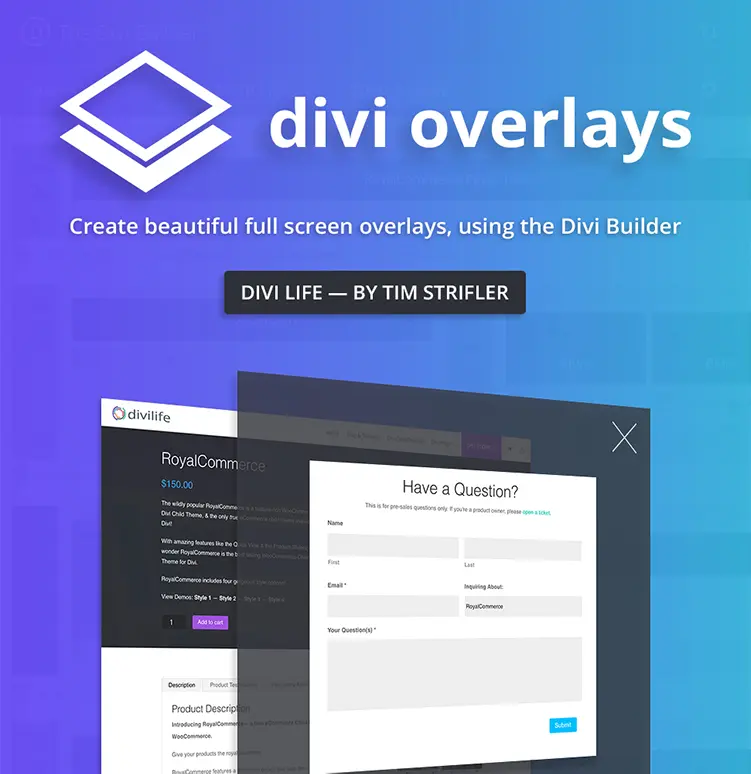
Do More With Divi Overlays!
Divi Overlays is the original popup builder for Divi, & remains the most powerful, most popular, & easiest to use popup builder for Divi! Easily create gorgeous, feature-rich popups! 😍
Make your choice and launch this week
A trio of choices shapes your restaurant site build: your theme, your setup method, and your willingness to customize.
Free themes keep costs down but need extra setup and come with limited or no support if things break. Paid food and restaurant child themes, like those from Divi Life, add greater design options, one-click imports, and responsive support – saving hours and stress when timelines are tight. Whatever your choice, always test your chosen theme in a staging environment to spot any issues before going live.
To add a full creative suite to your workflow, check out our All Access Pass – with this in your tech stack, creating appetizing restaurant sites is as easy as pie.

The Ultimate Divi Toolkit 🚀
The Divi Life All Access Pass membership is a complete Divi toolbox with all the Divi plugins, child themes, layouts, & templates you'll ever need to create incredible Divi websites.
Frequently Asked Questions
Do I need a child theme with Divi?
Yes, if you plan to customize CSS or functions.php, a child theme is a must-have. It ensures your changes aren’t lost during Divi updates by keeping modifications separate from the main theme.
What license type do I need?
Choose a single-site license for one website, or an unlimited license if you need coverage for multiple projects. Annual licenses provide support and updates for a year, while lifetime licenses grant ongoing access and updates without renewal costs. Research pro plans and make a few calculations to work out the most cost-effective approach for your own workflows.
How do child themes protect my work?
Child themes inherit all Divi features, but your custom style.css and functions.php changes remain untouched when you update Divi. This setup avoids the frustration of redoing customizations after every update.
Are Divi child themes compatible with Divi 5?
Divi 5 introduces major changes, so only use child themes that specifically state Divi 5 compatibility, such as Divi Life’s child themes, to prevent site or feature breakage.

0 Comments