
Divi Site Running Slow? Remove Unused CSS Today

Have you ever enabled dynamic CSS in Divi, cleared caches, and optimized images, yet performance audits still flag a massive stylesheet?
That warning confuses developers and frustrates clients, but it doesn’t mean your site is loading unnecessary CSS. Divi’s Dynamic Module Framework already builds smaller, targeted stylesheets in /et-cache/, often cutting real CSS weight considerably. The large style.css link exists mostly for backward compatibility.
We’re going to explain how to remove or prevent unused CSS safely inside Divi’s system. You’ll learn which methods improve performance without breaking icons, menus, or WooCommerce carts. The focus is on controlling what loads, when, and how.
Each technique works for agencies and freelancers managing multiple Divi sites who need reliable, scalable performance gains without constant fixes or plugin conflicts.
Why Divi sites still show large CSS files after optimization
Divi’s CSS system is more complex than a single stylesheet. The next few sections outline Divi’s CSS architecture, the true sources of bloat, and how to verify what’s actually being used.
The architecture behind Divi’s CSS system
Divi’s Dynamic Module Framework breaks the original stylesheet into smaller component files stored in /wp-content/et-cache/. Each page loads only the CSS needed for its active modules. A layout with five modules produces a combined stylesheet containing just those modules’ styles.
The large style.css link remains in the HTML for backward compatibility, but Divi enqueues modular CSS that effectively overrides the legacy stylesheet. This structure reduces load size dramatically without removing essential functionality.
Where the remaining CSS bloat comes from
External plugins add most of the remaining CSS weight. WooCommerce, membership tools, and form plugins enqueue global styles across every page, even when unused. WooCommerce alone contributes hundreds of kilobytes of CSS to non-shop pages. These styles load independently from Divi’s system, so Divi’s Dynamic CSS cannot control them.
Each plugin uses different loading mechanisms, which prevents any single optimization tool from managing all styles automatically. Effective cleanup requires identifying which plugins contribute the most unused CSS and controlling their load conditions manually or through selective optimization tools.
Testing your actual CSS usage with browser tools
Open Chrome DevTools and select the Coverage tab. Reload your slowest page. Red bars represent unused CSS, while green bars show what the browser renders.

Switch to mobile view to test viewport-specific styles because Divi generates different CSS sets per device type.
Prioritize optimization on files with 80% or more unused bytes. Test performance with PageSpeed Insights before and after each change to confirm measurable improvement. Ignore warnings about the legacy style.css file since browsers primarily load smaller cached styles from /et-cache/.
Comparing CSS optimization methods for Divi sites
Divi supports several CSS optimization approaches, each with different levels of control and risk. The main strategies are prevention, delivery optimization, and removal.
Prevention method: Stop CSS from loading
Prevention removes unused CSS at the source so it never enters the loading queue.
Disable unneeded Divi modules in Theme Options, deactivate plugins not used across pages, and use conditional loading to limit resources to relevant templates.
This approach avoids file modification and ensures design stability.
Preventing unused CSS from loading covers most optimization needs while avoiding broken icons, menus, or layouts. It delivers strong performance gains with no added maintenance or troubleshooting.
Optimization method: Improve CSS delivery
Optimization keeps all CSS intact but improves how it loads.
Minification reduces file size, combination reduces request count, and critical CSS inlines only what’s needed for the first screen. The remaining styles load later without blocking rendering.
This method preserves full compatibility while improving perceived speed and layout stability. It offers consistent load-time improvements without introducing visual or functional risks.
Removal method: Delete unused CSS per page
Removal tools generate page-specific stylesheets based on what appears in the DOM.
When used with Divi, this process disables Dynamic CSS to avoid duplication. It can improve scores on speed audits, but often breaks mobile menus, icons, or interactive elements.
Safe use requires manual testing and maintaining selector exclusions for essential components. Removal suits static or low-change sites, but is risky for dynamic layouts or eCommerce pages where CSS dependencies vary between views.
Third-party plugin costs and capabilities
External optimization plugins can enhance CSS handling but often introduce compatibility and cost issues for agencies managing multiple Divi sites. Below, we’ve outlined pricing considerations, essential exclusions, and the architectural reasons these tools struggle with Divi’s system.
Third-party performance plugin costs
Most leading performance plugins use recurring, per-site pricing models that become expensive for agencies:
- WP Rocket costs $59 per year for one site, $119 for three sites, and $299 for unlimited installations.
- Perfmatters is priced at $29.95 per year for one site, $59.95 for three, and $124.95 for unlimited.
- FlyingPress starts at $59 per year per site with cloud optimization included.
Agencies managing around forty sites can spend $299 to over $2,000 annually, depending on license structure. These recurring costs often outweigh the benefits of minor performance gains, especially when Divi-specific tools offer lifetime, unlimited-site licenses with built-in compatibility.
For portfolio-scale optimization, Divi-aware solutions deliver better long-term value and greatly reduce the maintenance overhead tied to annual renewals – especially when used alongside standard caching or CDN tools.
Critical Divi selectors that break when removed
Certain CSS selectors and directories must remain untouched during cleanup. For example:
- Safelist .et_mobile_menu to preserve mobile navigation and keep responsive layouts functional.
- Exclude the /et-cache/ directory because it contains Divi’s dynamically generated stylesheets.
- Protect .gform_wrapper and .wpcf7 to maintain Gravity Forms and Contact Form 7 compatibility.
- Preserve .et_pb_sticky and .et_animated to keep sticky headers, animations, and scroll effects active.
Removing any of these selectors can trigger missing icons, invisible menus, or layout shifts that only appear on specific devices. Test exclusions before deployment to ensure your optimizations don’t compromise usability.
Why performance plugins struggle with Divi’s architecture
Divi 4’s layout engine stores design data as serialized shortcodes instead of standard HTML, making it difficult for per-page analyzers to detect required CSS.
The Visual Builder also injects styles through JavaScript after initial rendering, which most scanning tools cannot interpret. Theme Builder templates apply conditional display logic that further hides active modules during analysis.
These factors cause generic optimization plugins to remove or delay essential styles. Divi-specific tools handle this dynamic structure correctly, maintaining functionality without breaking the builder’s visual output.
Bear in mind that Divi 5 is not built on shortcodes, which means that the above issues will no longer be relevant when you switch over to Divi 5!
The Divi Life optimization strategy
Divi Life builds tools specifically for Divi’s architecture, focusing on prevention instead of cleanup. Its ecosystem targets the root causes of bloat through smart loading and modular design. This results in faster, more stable Divi sites while minimizing the trial-and-error issues that often occur when combining Divi with generic optimization plugins.
How the Divi Life ecosystem takes a different approach
Divi Life centers on prevention instead of removal, delivering performance through precision rather than cleanup.
Each plugin in the ecosystem is built to stay lightweight and load only what is needed:
- Divi Hacks limits CSS and JavaScript to the exact features you enable, avoiding global resource loading.

- Divi Modules Pro uses Dynamic Assets technology to load module files only on pages where those modules appear, leaving disabled modules completely out of the load process.

This modular structure prevents bloat before it happens and keeps site stability intact. The approach eliminates the risk of broken menus, missing icons, or layout shifts that often follow aggressive CSS stripping.
The All Access Pass offers unlimited site licensing and Divi 5 compatibility, giving agencies predictable costs and consistent performance across all client sites.
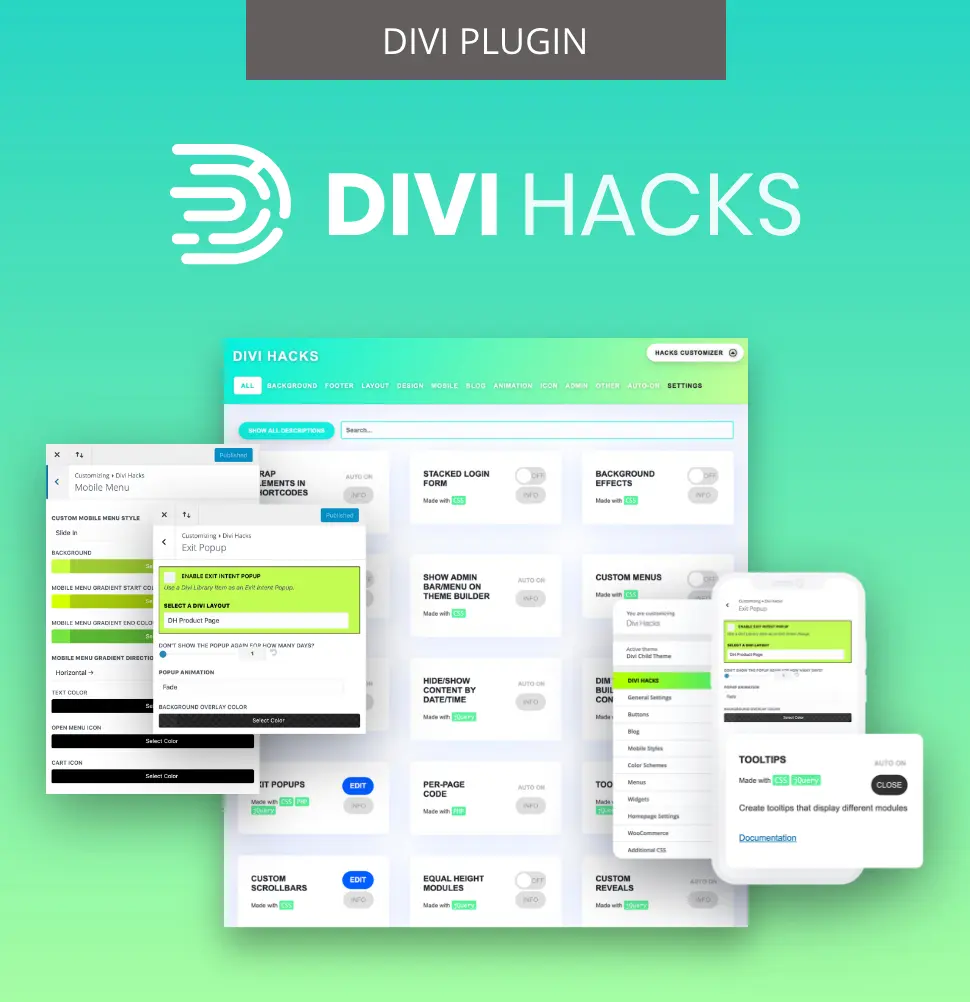
Customize Divi with Over 89 'Hacks'
Divi Hacks is the Ultimate Divi Customization Tool with dozens of options for customizing every aspect of Divi.
Use case strategies by business type
Different Divi site types require different optimization levels. The following strategies show how freelancers, agencies, and eCommerce site managers can apply the same prevention-first approach at the right scale. Each section outlines clear, actionable steps that improve performance while preserving site stability.
Solo freelancers and small sites
Freelancers and small-site owners need fast results without adding complexity. Their focus should be on safe, low-maintenance improvements that deliver visible speed gains without risking client trust or design stability:
- Enable Dynamic CSS and Dynamic Icons to create a reliable baseline for performance. These features reduce CSS size automatically and prevent legacy files from slowing down load times.
- Add Divi Hacks when Core Web Vitals remain below target. The plugin only loads resources for the features you enable, allowing targeted improvements without adding bloat.
- Avoid aggressive removal tools unless you can test every layout and device. Unverified CSS removal can break icons or menus and lead to unpredictable client issues.
- Budget focused testing time for each site. A few dedicated hours for verification ensures stable results and avoids post-launch fixes.
Agencies managing 10 to 50 client sites
Agencies handle multiple environments where consistency, scalability, and efficiency matter more than chasing perfect scores. A standardized, repeatable optimization process saves time, reduces errors, and keeps client sites stable across updates:
- Standardize your optimization stack around the Divi Life All Access Pass. Unlimited licensing keeps costs predictable and ensures consistent performance across your portfolio.
- Document a baseline configuration for core plugins such as Divi Hacks and Divi Modules Pro. Consistent setup reduces onboarding time and simplifies troubleshooting.
- Create a reusable safelist template for your most common plugin combinations. This prevents accidental removal of required selectors during CSS cleanup.
- Allocate structured rollout time for deployment. A planned one-week schedule allows quality testing and portfolio-wide stability.
WooCommerce and membership sites
Membership and eCommerce platforms depend on dynamic styles for forms, carts, and account areas. These sites need performance gains that never interrupt user journeys or damage conversion-critical functionality:
- Avoid CSS removal on transactional pages such as checkout, cart, and account areas. These pages depend on dynamically loaded styles that removal tools often strip out.
- Test complete purchase flows after every optimization round. Verifying button states, validation messages, and confirmation screens prevents critical errors.
- Monitor conversion metrics for two weeks after changes. Tracking engagement ensures that performance tweaks don’t affect user flow.
- Leave well-performing pages unoptimized when conversions are already strong. Preserving stable experiences often delivers better results than chasing small speed gains.
Testing protocol for safe deployment
A structured testing process prevents CSS optimization from breaking key site features. This protocol ensures every change can be verified, measured, and reversed safely. Treat testing as part of deployment rather than an afterthought:
- Create a mirrored staging environment to test updates without affecting live sites. Use cloning tools to duplicate production settings, themes, and plugin versions exactly. Keep both environments synchronized so results remain accurate when updates roll out to clients.
- Document your baseline metrics before applying any optimization. Record Core Web Vitals such as Largest Contentful Paint and Cumulative Layout Shift for the homepage, product pages, and checkout. Capture screenshots or reports for before-and-after comparison. This documentation verifies improvements and isolates regressions.
- Enable and test one feature at a time when applying CSS changes. After each adjustment, inspect key interface elements such as headers, mobile menus, accordions, and forms. Broken layouts or missing icons indicate conflicts that need review before moving forward.
- Follow a precise cache-clearing sequence during deployment. Clear Divi Static CSS first, then plugin caches, followed by hosting and CDN layers. Skipping this order can cause mismatched styles or cached visual bugs. Use server monitoring tools to check CPU and memory usage during this process – stable readings confirm healthy caching behavior.
- Maintain a ready rollback plan for immediate recovery if issues arise. Keep the staging environment intact so you can restore known working configurations. Document each change, including plugin settings and safelist entries, so reversals are quick and complete.
- Recognize successful optimization by comparing functional and broken versions side by side. A properly optimized site loads quickly, maintains layout integrity, and responds smoothly on all devices. Visual comparisons make it easier to confirm that speed improvements do not come at the cost of usability or stability.
Build faster Divi sites the safe way
Simple Divi sites with few plugins can use CSS removal tools effectively, but complex builds require caution.
Sites with WooCommerce, membership systems, or custom scripts rely on dynamic styles that removal plugins often misinterpret. A prevention-first approach avoids these risks while still improving load times and Core Web Vitals.
Aim for consistent “green zone” performance instead of chasing perfect scores that compromise stability. Divi Life’s prevention strategy achieves reliable speed gains without breaking site elements or workflows. The All Access Pass provides unlimited licensing and guaranteed compatibility across client sites, making it cost-effective for agencies.
Skip aggressive CSS removal that jeopardizes functionality. Check out Divi Hacks and the broader Divi Life toolkit for targeted, Divi-aware optimization that complements your existing performance stack.

The Ultimate Divi Toolkit 🚀
The Divi Life All Access Pass membership is a complete Divi toolbox with all the Divi plugins, child themes, layouts, & templates you'll ever need to create incredible Divi websites.

0 Comments